> For the complete documentation index, see [llms.txt](https://eslam3kl.gitbook.io/blog/llms.txt). Markdown versions of documentation pages are available by appending `.md` to page URLs; this page is available as [Markdown](https://eslam3kl.gitbook.io/blog/ctf-challenges/ctf-cybertalents-bypass-the-world-writeup.md).
# CTF CyberTalents — Bypass the world Writeup
Bypass the world CTF from CyberTalents — Write-up
#### CTF CyberTalents — Bypass the world
Well, hello there! Now we’ll solve one of the challenges on **CyberTalents** in Web CTF’s
**The challenge information**
Challenge information
> **Challenge description**
> *I Don’t Care if the world is against you, but i believe that you can bypass the world*
> **Challenge link**
> [*https://cybertalents.com/challenges/web/bypass-the-world*](https://cybertalents.com/challenges/web/bypass-the-world)
So let’s get started…
After you open the challenge page you’ll get login page as follows
And you don’t have any test account so the normal action you’ll do is to check the source code for any information leakage, but you won’t find anything, let’s return to the main page and check the ***Wanna Source*** button, you’ll get the SQL query as follows
From this code you should notice 2 important things:
1. The developer has filtered the input of the user by using preg\_replace function to replace a special character or word and replace it
2. The developer balances the query by using ‘ not “ or ‘) or “). It’s important information.
***So let’s analyze this code…***
1. For the preg\_replace → It’s a PHP function which take 3 variables
The first one is the character which will search for and in our case is **‘** (**comma**), the second variable is the replacement character which will put in instead of the comma and in our case it’s ‘ ‘ **(space)**, the third and the final variable is the variable which will apply this replacement in it’s value and in our case is **name**.
To know more about the preg\_match i recommended reading the documentation about it
2\. For the balancing character we know that it’s comma ‘ and in this case we’ll use it instead of trying more than one to know this info.
If you try to inject the username with this payload **username=admin’#** you won’t success because it’s replace the comma ‘ with space, so it’s not worked. So let’s try to find anything to bypass this function to stop replacing the comma with space.
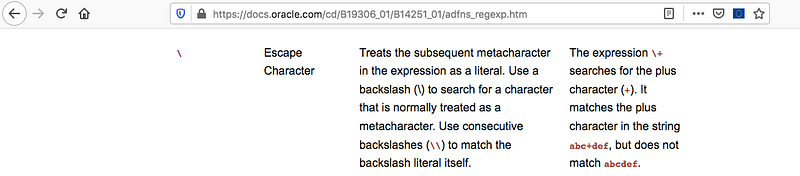
After searching, you’ll see something called escape character
> You can find more information here
To demonstrate the trick here, the escape character \ is used to escape the character which the function will replace, for example: in our query
**$query =”SELECT \* FROM users where name=’$name’ and password=’$pass’ “**
if the filter see the ‘ it will replace it by space so if we insert the *username* as **eslam’akl** this will be **eslam akl** (Again: Replacing the comma with space)
And if we insert the username as this **eslam\’akl** the result from the replacing will be **eslamakl** (Because of the \ the character ‘ had been passed)
So if we try to insert ***\’*** as the username, the query will be like this
**$query =”SELECT \* FROM users where name=’’ and password=’$pass’ “**
Nice, now we’ll use the pass variable to inject our payload like this
***password = or+1=1#***
the query in this case will be like this
**$query =”SELECT \* FROM users where name=’’ and password=’or+1=1'#’ “**
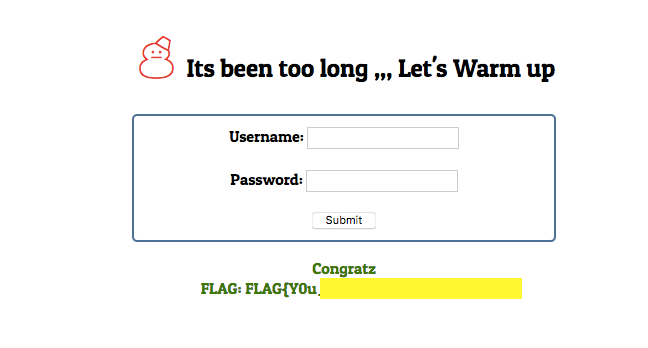
Then you’ll find it return you the flag
**Congrats Bro ❤**